Here is a great post on a work around for the sticky key issue when using logmein on Server 2012 to access Hyper-V guests. http://mctexpert.blogspot.com/2012/09/sticky-key-problem-between-windows.html [cid:image001.png@01CEB2CB.C2D1D600]
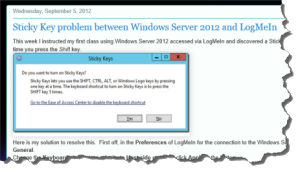

Here is a great post on a work around for the sticky key issue when using logmein on Server 2012 to access Hyper-V guests. http://mctexpert.blogspot.com/2012/09/sticky-key-problem-between-windows.html [cid:image001.png@01CEB2CB.C2D1D600]
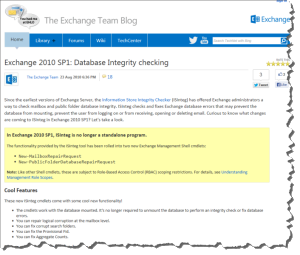
It turns out that the command “isinteg -s mail -fix -test alltests“ has been replaced.
This is what I used instead:
New-MailboxRepairRequest -Mailbox JohnDoe@Acme.com -CorruptionType SearchFolder, AggregateCounts, ProvisionedFolder, FolderView
New-MailboxRepairRequest -Database “Mailbox Database 134628591” -CorruptionType SearchFolder, AggregateCounts, ProvisionedFolder, FolderView
http://blogs.technet.com/b/exchange/archive/2010/08/23/3410708.aspx
http://eightwone.com/2010/06/14/goodbye-isinteg-hello-new-mailboxrepairrequest/
Wow! Tonight I attend the Photographers Adventure Club lead by Nick Pappagallos. The Topic was hot to “Build a Loyal Blog Following” presented Melissa Jill. It was an awesome presentation One take away “..be vulnerable, transparent, consistent, challenge yourself, and post regularly” .
http://www.melissajill.com/blog.cfm
http://photographersadventureclub.com
http://www.nicholaspappagallo.com


With newer UCC SSL certificates it is often not possible to register local domain names. Example: mail.mydoman.local
Using the default exchange 2013 setting the outlook 201 client will get a “Security Alert” the says “The name on the security certificate is invalid or does not match the name of the site”
I resolved this by changing the Auto Discover Service Internal Uri.
First I stated the exchange Server 2013 power shell.
And ran these commands:
Get-ClientAccessServer
Get-ClientAccessServer -Identity ExchangeServerName | fl *
Set-ClientAccessServer -Identity VR-EXCHANGE -AutoDiscoverServiceInternalUri: https://ExchangeServerName.domain.com/Autodiscover/Autodiscover.xml
Get-ClientAccessServer -Identity ExchangeServerName | fl *
Here is a link to more info on the Malware Vobfus.NN
I created the following batch file.
for /F "tokens=*" %%a in ('dir /ad/b') do attrib -h -s -r "%%a"

attrib *.doc -s -h

attrib *.pdf -s -h

attrib *.avi -s -h

attrib *.jpg -s -h

attrib *.png -s -h

attrib *.txt -s -h

attrib *.dwg -s -h

attrib *.dgn -s -h

attrib *.psd -s -h

attrib *.in -s -h

attrib *.docx -s -h

attrib *.xlsx -s -h

attrib *.ppt -s -h

attrib *.pptx -s -h
1) Open a command Prompt and type gpedit.msc
2) Navigate to — > Computer Configuration\Administrative Templates\Windows Components\Terminal Services\Terminal Server\Connections\
3) Change the value of “Restrict each user to a single session” change to Disable
4) Exit
5) at the command prompt type gpupdate
6) Exit
At a command prompt Type:
Net stop w32time
Net start w32time
w32tm /configure /manualpeerlist:pool.ntp.org,0x1 /syncfromflags:manual /update
Net stop w32time
Net start w32time
W32tm /resync
w32tm /monitor /computers:pool.ntp.org
w32tm /monitor /computers:pool.ntp.org
*** Caution *** be careful this can cause issues and data loss
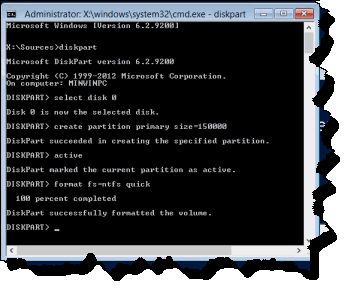
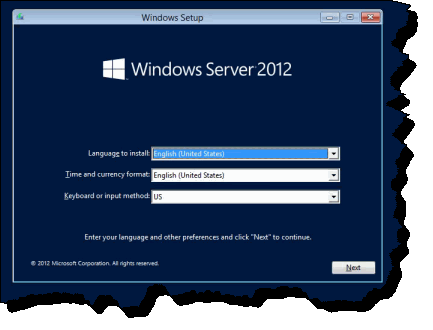
When I see this screen at the start of the Server 2012 installation I do the following
Press Shift+F10
Diskpart
select disk 0
create partition primary size=150000
active
format fs=ntfs quick
exit
Then I continue with the installation
Where I got my info:
http://www.vmwareinfo.com/2010/09/creating-windows-2008-r2-server-without.html
http://superuser.com/questions/462657/avoiding-the-pesky-windows-7-system-reserved-partition
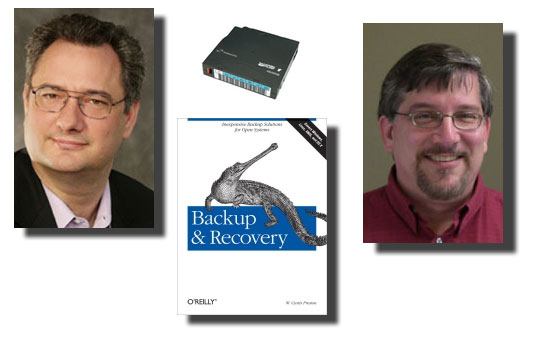
I had the privilege to attend the awesome “The Truth about Backup” seminar.
Hosted by Curtis W. Preston and Reed Robins in Tempe Arizona. Highly recommened.
http://www.truthinit.com/technology-users/seminars/the-truth-about-backup.html
They wrote the book on backup!
Check out their fun home spun backup Music Videos